Three weeks in numbers#
Before writing this I counted, in my own Claude Code and Codex history, from 15 September to today:
| In three weeks | |
|---|---|
| Prompts I wrote | about 730 |
| Prompts my agents wrote to other agents | about 780 |
| Agents started by another agent | 440 |
| Herdr commands my agents ran to do all that | about 4,900 |
My agents now prompt each other more often than I prompt them. They also write far more. My prompts add up to about 11,700 words, and half of them are six words or shorter: “continue”, “create PR”. The agent-written ones I could trace add up to about 88,000 words. In Codex, almost four prompts out of five were typed by another agent.
This article is how that works, and how to set it up.
Watch this first#
I typed one sentence into one terminal:
Use herdr to review the branch with claude and codex in panes below, validate findings, fix issues
The agent opened two panes under itself, started a second Claude in one and Codex in the other, and gave both the same review brief. Two different models read the same diff at the same time, and neither sees what the other says. When they finish, the first agent reads both reports, checks every finding against the code, and fixes the ones that hold up.
I did not open those panes. I did not start those agents. I did not copy a single review from one window into another.
Starting agents is half of it. A pane is a terminal, so the same agent can drive anything I would drive from a terminal, Docker included:
Use herdr to open a pane below where you start docker (with make branch-test) for PR 576 and then run test
make branch-test is my project’s own command. It gives a branch a fresh clone with its own database containers and leaves a shell wired to them. The agent started it in a pane, typed make test into the same pane, and waited for the result. There is no docker exec anywhere in that recording. The agent sends text to the pane, the way I would type it.
Those two demos are the building blocks. Put them under a manager and you get a team. Not one that cooperates: every agent is set against another, and the manager trusts none of them.
What that adds up to#
Last month I ran exactly this on a real project and went to do something else. When I came back, a pull request was waiting. Two agents had planned it independently, without seeing each other’s work. A third had merged the two plans and written the code. Two more, running on a different model from a different company, had reviewed it. The review raised 102 findings. 85 were confirmed with evidence, 81 were fixed, one commit each. 408 unit tests and 85 end-to-end tests were green, and the gate had been re-run by an agent that did not write the code.
I started one agent. It started the rest.
It is not the model#
The common belief is that results like this come from the model. Wait for the next release, pick the one at the top of the benchmark, and the code gets better.
The second most common belief is that it comes from the prompt. Find the magic words, keep a file of them, and the code gets better.
It is not the model. It is not the prompt. It is the structure around the agents.
The run above used the same models everyone has, and my prompt was one sentence. What was different is that no agent was trusted on its own. The plan was challenged by a second plan. The code was reviewed by a different model. The claim “tests pass” was checked by someone who had no reason to want it to be true.
We already know this about people. Nobody ships the work of a single brilliant engineer with no review, no tests and no second opinion. We just forgot it the moment the engineer became a model.
The rest of this article is how I got to that structure, how you can get there, and what makes it fall apart.
Good, better, best#
Good: one agent, and you#

This is where everybody starts, and where I was for most of this year. One agent, one terminal, me in the middle. It writes, I read, I complain, it fixes.
It works. Its ceiling is that a model reviewing its own code is a student grading their own exam. It makes a mistake, then confidently confirms the mistake is fine.
Better: a second agent reviews the first#
So I added a reviewer from a different vendor. Claude writes, Codex reviews, or the other way around. The quality jump is real, because a different model has different blind spots.
It also turned me into a clipboard. Copy the diff summary to Codex. Copy the findings back to Claude. Copy the fixes back for a re-review. I was the slowest component in the system and the only one that got bored.
The sub-agents built into these tools solve the clipboard problem. But they are the same model talking to itself, and all you see of them is a spinner and a summary.
Best: one agent runs the team, and you can watch#
The best setup I have found keeps the different models, removes me from the middle, and keeps everything visible. It needs two things.
The first is hands. Herdr is a terminal multiplexer, like tmux or Zellij, with one difference that matters: it knows what a coding agent is. It recognizes the agents running in its panes and knows whether each one is idle, working, blocked on a question, or done. All of that is exposed through a CLI, and anything with a CLI can be driven by an agent:
# open a pane next to me, without stealing my focus
herdr pane split --current --direction right --no-focus

# start a different kind of agent in it
herdr agent start reviewer --kind codex --pane w1:p2

# hand it a task and wait until it settles
herdr agent prompt reviewer "Review the diff against main. Report only." --wait

# read what it said
herdr agent read reviewer --source recent-unwrapped
Claude can start Codex. Codex can start Claude. And because every one of them is a real terminal, I can switch to the reviewer’s tab, watch it think, and type into it if it is going somewhere stupid.
The second is an org chart. The first time I told an agent “you can start other agents”, it started too many, let them edit the same files, and believed everything they reported.
So I wrote down the process as a skill called manager. It turns one agent into a manager that does not plan, does not implement, and does not review. It starts a small team, hands out briefs, and holds the gates.
| Role | How many | Does |
|---|---|---|
| planner | 1 or 2 | Writes an independent plan, read-only |
| coordinator | 1 | Merges the plans, implements, fixes |
| reviewer | 1 or 2 | Reviews a frozen commit, report only |
No agent ever talks to another directly. Everything goes through the manager, who decides what each one is allowed to see. That is the diagram at the top, and it has three fights in it, each one there on purpose:
- Planner against planner. Two models plan the same work without seeing each other. Where they agree, the decision is probably right. Where they differ, there is a real design choice, and the coordinator has to argue it out in a SWOT analysis of each plan. The plans arrive without the authors’ names, so it cannot play favorites.
- Reviewer against coordinator. The reviewer is a different model from the one that wrote the code. It gets one frozen commit and nothing else: no plan, no explanation, no report telling it what to think.
- Manager against everyone. The coordinator says the tests pass, so the manager runs them. The coordinator says a finding is wrong, so the manager opens the evidence. A reviewer says “also delete X”, and the manager treats it as a claim to check, not an order.
At the end there is one pull request, never merged by the agents, and a report with numbers in it:
### openwrite-build — blocked — waiting on Q2: the user's authorization
- Gate: format · lint · typecheck · 408 unit tests pass · 85 e2e pass · build OK
- Team: planner A=claude, planner B=codex, coordinator=claude,
        reviewer A=claude, reviewer B=codex
- Plan: 21 decisions from A · 3 from B · 15 hybrid · 2 new
- Findings: 102 raised · 85 confirmed · 0 refuted · 81 fixed · 4 deferred
- Confidence: 🟢 High
With Herdr, every team member gets its own tab, labelled with the work item and the role. The tab bar becomes the org chart.
What I actually do all day#
The big run at the top is the showpiece. My normal day is smaller and more frequent. These are real prompts from the last three weeks:
/manager review PR 575 (with a claude lesser module and codex), validate and implement fixes, run tests using herdr (with
make test), merge when ready
/manager There are a bunch of performance issues. Start implementing them and create a new PR.
/manager Look at the current tests and how they’re run. See if you can improve performance. I personally have no idea how to do that, so come up with some directions.
/manager Start working on the issues listed below. Start a new manager for each issue that delivers a PR.
That last one is a manager of managers. One agent starts a manager per GitHub issue, each manager starts its own team, and each team ships its own PR.
The agents do not always reach for Herdr on their own, so the word is in my prompts more often than I would like.

I used /manager about 40 times in those three weeks. That is where the numbers at the top come from: each run starts a handful of agents, and every brief, go-ahead and “re-review this commit” between them is a prompt I did not write. They start with “You are planner B on one work item” or “You are reviewer A”.
The part I use most is not even agents#
Driving a plain terminal turned out to be as useful as spawning agents, and it solved a problem I had given up on: getting an agent to work inside a Docker container without a fight.
The usual way is to wrap every command from the outside. This is a real line from my history, from before I worked this way, with the names changed:
ssh host 'docker exec -i -e MODE=solve -e "QUERY=&stealth=true" worker-1 python -' \
  < verify_driver.py 2>&1 | grep -v "refused" | sed -E 's#//[^@/ ]+@#//***@#g'
A script piped through stdin, into docker exec, through ssh, with two layers of quoting. Every command is a new process, so there is no working directory, no activated environment and no history to build on. Agents get this wrong constantly, and so do I.
In a pane, the same job is this:
herdr pane run w2:p5 "docker compose exec worker bash"
herdr pane run w2:p5 "python verify_driver.py"
The only docker exec here is the one I would type myself, once, to get a shell inside the container. Herdr does not know Docker exists. pane run types the text into the pane and presses Enter. Whatever is at the prompt receives it: a plain shell, a shell inside a container, an SSH session, a database console.
And that shell keeps its state. The agent can cd, export a variable, run one test, read the failure, and run it again.
The second demo at the top is this idea in Canary, a private project with a heavy test suite. Running that suite inside the agent’s own session floods its context with logs, fights with my dev database, and blocks it for minutes. Here is what you were looking at:
make branch-testis a Make target in this project, not a Herdr or Docker feature. It clones the branch into a fresh directory, starts a MongoDB and a Redis container that belong only to that clone, copies the application database into them, installs the dependencies, and leaves a shell prompt marked(branch-test). Everything typed there talks to those containers and nothing else.- PR 576 is all I gave it. The agent asked GitHub for the pull request’s branch name and passed it in.
make testis the project’s full gate. The six[1/6]to[6/6]labels scrolling past are its stages: lint, the containers, the backend suite, and three frontend suites, running side by side.; echo EXIT_CODE=$?was the agent’s own idea. It added that to the command so it could wait for one known line of output instead of reading thousands.
And this is everything the agent sent to make it happen:
herdr pane split --current --direction down --no-focus
herdr pane run w1:p2 "BRANCH=<branch> make branch-test"
herdr pane wait-output w1:p2 --match "Sandbox ready:"

herdr pane run w1:p2 "make test; echo EXIT_CODE=\$?"
herdr pane wait-output w1:p2 --regex "EXIT_CODE=[0-9]+"
herdr pane read w1:p2 --source recent-unwrapped
If something fails, it reads the failing test IDs, fixes them in the worktree, pushes, and starts a fresh sandbox. And I can scroll through the test output myself while it waits.
Get started in ten minutes#
This will not get you to the full setup. It gets you to the point where an agent opens a pane, starts another agent in it, and reads the answer.
You need two coding agents installed, from different vendors: Claude Code and Codex are the pair I use, and opencode works too. You also need Node.js, because one command below uses npx.
1. Install Herdr#
Herdr is a single binary for macOS, Linux and Windows. The install script is one line:
curl -fsSL https://herdr.dev/install.sh | sh
If you would rather read a script before piping it into a shell, it is here, and the install page lists the alternatives:
brew install herdr
mise use -g herdr
On Windows, the install page has a PowerShell command. Update it later with herdr update.
2. Start it and learn five keys#
herdr
Herdr runs as a background server, so closing your terminal does not kill your agents. Run herdr again and you are back. Every shortcut starts with the prefix, ctrl+b: press it, release it, then press the key.
| Do this | Keys |
|---|---|
| Split the pane to the right | ctrl+b then v |
| Split the pane downward | ctrl+b then - |
| New tab | ctrl+b then c |
| New workspace | ctrl+b then shift+n |
| Detach, leaving everything running | ctrl+b then q |
The mouse works too: click to focus a pane, drag a border to resize it. The quick start has the rest.
3. Teach your agent to drive Herdr#
Herdr ships a skill that explains its CLI to an agent: how to split panes, run commands, wait for output and start other agents.
npx skills add herdrdev/herdr --skill herdr -g
The skill only activates inside a Herdr pane, where HERDR_ENV=1 is set, so the agent cannot touch a terminal that is not Herdr’s. More detail on the agent skill page.
4. Run your agent inside Herdr and check it can see Herdr#
In a Herdr pane, start your agent the way you normally do:
claude
Before you ask for anything, confirm the agent is in a Herdr-managed pane. In Claude Code you can run a shell command with a leading !:
! echo $HERDR_ENV
It should print 1. If it prints nothing, you started the agent outside Herdr.
5. Install the manager skill#
The manager skill, and the planning and review skills it uses, live in agents-library. For Claude Code, run these inside a session:
/plugin marketplace add cleanunicorn/agents-library
/plugin install agents-library@agents-library
For Codex, run them in your terminal:
codex plugin marketplace add cleanunicorn/agents-library
codex plugin add agents-library@agents-library
Then start a new session so the skills load. The README covers opencode and updating.
6. Run your first three prompts#
Type these in the agent inside Herdr, one at a time, and watch the panes. They are in order of how much they do.
One pane, one command. This is the run, wait, read loop that everything else is built on:
Use herdr to open a pane below and run the tests there. Tell me what failed.
A second agent, a different vendor. This is the first demo:
Use herdr to start codex in a pane to the right and have it review my uncommitted changes. Report only, no edits. Then check each finding against the code and tell me which ones are real.
A team. Pick something small, like a bug with one obvious home, and let the manager skill take it:
/manager fix
. Use herdr, review with a different kind of agent than the one that implements, and run the tests in a pane.
On the first run the manager asks its questions up front, in one batch. Answer them, and then read its hand-back report. It is deliberately full of numbers.
Where to go from there#
Do not live in the third prompt yet. I did not start with the manager, and it only makes sense once you have felt the problem each step solves. This is the order I would take again.
- Stay on the first two prompts for a while. One pane, then one reviewer of a different kind. Notice what the second model catches that the first one defended.
- Close the loop. Review, fix, re-review, until the reviewer has nothing left. This is where you stop being the clipboard, and if you stop here you already have most of the benefit.
- Write down every mistake as a rule. The agent let two agents edit the same file? Write “single writer”. It believed “tests pass”? Write “re-run the gate yourself”. Put the rules, and the command that runs your tests, in the
AGENTS.mdorCLAUDE.mdthe agent reads. Themanagerskill is nothing more than that file after a few weeks. - Only then add planners. Two independent plans and a merge are worth it for work with real design choices. For a bug with one obvious home, one planner is enough.
- Give the tests a sandbox.
make branch-testis specific to my project, but the idea is portable: one command that builds an isolated copy of the branch with its own databases, so agents can run the full suite without touching your environment or each other’s.
It will not work unless#
This is the best way I know to work with coding agents right now. It is also easy to build a version that looks the same and produces garbage faster. I skipped every item below once.
- Use different models for writing and reviewing. Five copies of the same model agree with each other. Independence comes from a different kind of agent, not from a larger team.
- Keep them from seeing each other’s work. A planner that reads the other plan writes the same plan. A reviewer that reads the implementation report reviews the report.
- One writer. Only one agent edits the worktree. Everyone else is read-only.
- Believe evidence, not reports. The manager re-runs the tests itself. When the agent that wrote the code says a finding is wrong, someone else opens the evidence. A review that says “also delete X” is a claim to check, not an order.
- Review a frozen commit. If the code moves while the review runs, the findings point at nothing.
- Ask every question at the start. One batch, before any agent begins. Otherwise you come back after three hours to a team waiting on question one.
- Make the manager wait inside its turn. Nothing wakes an agent when its team finishes. In one of my runs the reviews landed after the manager had stopped, and nobody ever read them.
- Have a rule for the stuck agent. One of my planners showed
workingfor five hours. Retry once on another kind, then continue without it and say so in the report. - Never let an agent answer an approval for you, and never let it merge. The manager relays the question and hands back a PR. “Unattended” has an asterisk, and it should.
- Keep it small. At most five agents, and most of my prompts are still plain prompts. A one-line fix does not need a planner, and your weekly quota will remind you.
The short version#
Everything above, in one place:
- It is not the model and it is not the prompt. It is the structure around the agents: nobody’s work is trusted until someone with no stake in it has checked it.
- The structure needs two things. Hands: a terminal that agents can drive, which is Herdr. And an org chart: a written process that tells them how to behave, which is the
managerskill. - A pane is just a terminal. The same hands that start a reviewer also run a test suite inside Docker, by typing, with nothing wrapped.
- Start small. One pane, then one reviewer from a different vendor, then close the loop. Add planners and a sandbox only when you feel the need for them.
- It holds only with the rules. Different models, kept apart, one writer, and evidence over reports. And the agents never merge.
My job moved up one level. I used to write code. Then I reviewed the code an agent wrote. Now I write the work item, answer one batch of questions, and read the report at the end. In three weeks my agents wrote more prompts than I did, and that is the point: one prompt, a whole team.
Install Herdr, open a pane, and ask your agent to run the tests in it. That is the first ten minutes.
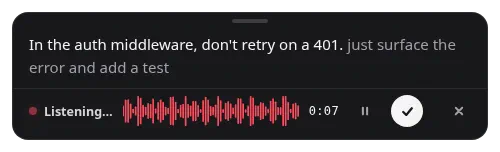
P.S. I did not type most of those 730 prompts. I speak them into Earheart, a small local dictation app I built, and send the transcription as it is, mistakes included. The longer the prompt, the more likely I spoke it. That is a different article, and I will write it.